Search
  1-844-PUSHPAY
 A practical guide to Christmas and Easter church giving
Plan a Christmas or Easter offering end to end: fund setup, giving channels, ACH and stock, IRS records, fraud prevention, and what platforms actually cost.
December is the largest giving month of the church year.
In a study done by Nucleus, looking across their customer base, they estimate that nearly 14% of annual giving volume comes in that month alone.
For a church running evaluating giving strategies, one month carries weight the other eleven don’t.
Many of the people at a Christmas Eve or Easter service are visiting, and potentially giving to your church for the first time. They have no saved payment method, no account in your app, no reason to know where your online giving page lives.
This represents our first problem: it is difficult for newcomers to give to your church.
You might be thinking, “Well, we don’t want visitors to donate. They should have the opportunity to check out the church first.” But what if your guest wants to make a donation? You don’t want them to feel obligated, of course, but there is a very real possibility that they want to be generous towards a good cause.
Churches have the opportunity to make it easy for people to be generous.
The other problem is what happens afterward. If you told the congregation from the stage that the offering funds a specific thing, a food pantry, a missions partner, a building project, then those donations are restricted to that purpose.
Restricted money deposited into the general fund alongside the week’s ordinary tithes is hard to trace and hard to report on, which is how a December decision becomes a January problem.
Neither problem gets solved on Christmas Eve. Both get solved four to six weeks earlier.
One fund, one deadline
A fund is decided by four things:
- What the offering pays for
- Which fund it lands in
- What number counts as success
- The date it closes
Put the answers somewhere shared. The person drafting the email, the person building the slide, and the person setting up the fund in your church giving software all need the same four answers, and they’re usually three different people.
Purpose is where this goes soft. “The benevolence fund” is a ledger entry, not a reason. “Supporting God’s work in our city” is a slogan. Name what the money buys and who receives it, in language a visitor with no church background can repeat to their spouse in the car.
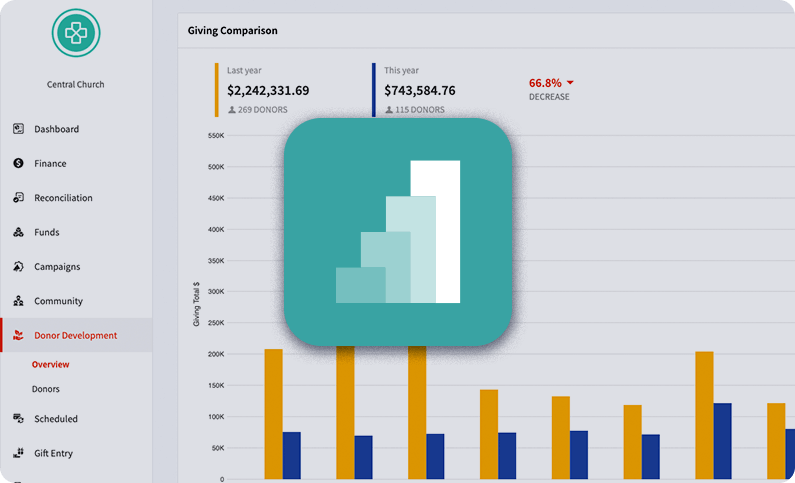
The fund follows from the purpose. If you named a specific use from the stage, those donations are restricted to it and need their own fund, so you can show the money went where you said it would go. If the offering is a general-fund push with no designation attached, you don’t need a separate fund at all. Either way you want campaign tagging, or there’s no way to tell afterward whether the offering raised anything beyond what an ordinary month would have brought in.
Campaign pledging and campaign-level exports in Pushpay keep donations tagged through reporting and reconciliation, so that comparison exists without anyone rebuilding it from date and memo fields.
Set one-time as the default on the seasonal form. A visitor who came for the candlelight service and hits a form pre-set to monthly either abandons it or calls your office in February to cancel. Recurring giving deserves its own campaign on its own timeline.
Counting backward from the close date
Pick the date the campaign closes. Then work backward.
Six weeks out. Fund created. Online giving page live and tested end to end on a phone. Run a real donation through every channel you plan to promote, then refund it. Get your platform’s holiday support coverage confirmed in writing, because the weekend you’ll need it is the one most vendors are closed. Print files at the printer.
Four weeks out. First mention from the stage, first email, and the goal number said out loud. QR codes and app links go live everywhere they’ll appear.
Two weeks out. Publish instructions for donor-advised fund grants and stock transfers. Both take days to weeks to settle, and the December queue is slower than the rest of the year, so a donor who decides on the 29th has already missed the campaign.
Service weekend. The ask from stage, the text keyword read aloud twice, the QR code on screen and in the bulletin, the giving link in the livestream description.
Within 72 hours. Receipts out.
Two weeks after. A specific impact note. Not “thank you for your generosity.” What the money did.
Four weeks after. Reconciliation closed, and the results broken out by channel, gift size, and donor history.
Two weeks out is the only marker on that list that depends on someone else’s calendar, since brokerages and DAF sponsors release funds on their schedule, not yours. Everything else is yours to control, starting with the page all of it points at.
Everything points at one page
Your online giving page is the destination. Website navigation, text reply, QR codes, email button, livestream description. Same page. One page to test, one page to fix at 9:58 on Christmas Eve.
One URL can still serve Christmas, Easter, the building fund, and regular tithes without turning into a dropdown menu. A campaign-specific link opens the same /give page with the seasonal fund already selected, so the donor lands one step from finished. Branded QR codes carry the same pre-populated form, so a scan from the bulletin skips fund selection entirely.
Account creation is the next step you can remove, so remove it. Apple Pay and Google Pay let someone contribute without typing a payment method at all, which on a phone in a dim room decides whether the donation completes. Pushpay’s pre-configured giving links and QuickGive with Apple Pay handle both halves: the fund arrives selected, and the visitor never makes an account.
What the app is for on Christmas Eve
Your church app is the wrong tool for a first-time visitor and the right one for everybody else. Asking a room full of guests to download an app mid-service adds an app store trip to a decision that was already fragile. Asking members to give through the app they already have removes several steps at once, since the payment method is saved and the fund is a tap away.
So split the ask. Text and QR codes carry the visitors. The app carries the members, and it keeps working in the weeks on either side of the service, which matters for an offering that stays open past Christmas Eve. What you need from both channels is that they land in the same report without an export step in between.
Text and QR codes, in the room and out of it
Text giving works on Christmas Eve because it needs nothing the visitor doesn’t already have. No download, no account, no app store detour mid-service. Read the keyword and shortcode aloud twice, put it on screen, print it in the bulletin.
Promoting a shortcode trains your congregation to act on giving texts, which is worth pairing with a safeguard. Publish the shortcode in advance through channels people already trust, and say from the stage that your staff will never text or DM anyone asking for gift cards or account transfers. Church impersonation attempts tend to follow the same script, and a congregation that has heard the disclaimer once is harder to run it on.
QR codes save the donor from typing anything at all. Put them on the bulletin and on lobby signage, point every one at the same online giving page, then test from the back of the room at projection size, in the lighting you’ll actually use. A code that scans on a laptop at arm’s length hasn’t been tested.
Do you still need a kiosk?
Text and QR codes reach the people holding phones. Kiosks were built for the ones who aren’t. They assume a congregation that carried cash, wanted to give at the building, and didn’t have a smartphone in a pocket, and whether that still describes your lobby is the question to answer before you buy hardware.
A kiosk works where you have sustained lobby traffic and a volunteer assigned to stand beside it. Kiosks stop working where the hardware, the software updates, and the one-person-at-a-time queue cost more staff attention than a volunteer holding a tablet with the giving page open.
For cashless in-person giving with no hardware to maintain, tap-to-give does the same work. Pushpay’s VisitorTap integration lets someone tap a phone against a placard and land on your online giving page. No device to update, no line behind them, and the tap points at the same campaign as every other digital channel.
Cash and checks haven’t gone anywhere
If your Christmas Eve plate still comes back with cash and checks in it, that channel needs the same attention as the digital ones.
Count under dual control, with two unrelated people and a signed count sheet, every time. It protects the volunteers more than it protects the money.
Then get offline tithes into the same donor record as the digital donations. Without that, year-end statements come out wrong and your reporting undercounts the members who contribute most consistently.
Whatever platform you use, gift entry should put cash and check donations into the same record as the online ones rather than a spreadsheet beside it. Remote check deposit, priced per check, saves a bank trip during the week nobody has time for one.
The five-figure gifts
If a handful of large donations make up much of your seasonal total, those donations are unlikely to arrive from a phone during the service. Each one has its own lead time, which is what the two-weeks-out marker is protecting.
ACH. The cheapest change available to a seasonal campaign is moving the largest donations off cards. Pushpay’s card rates run 2.1% to 2.9% plus $0.20 to $0.30 depending on total giving volume, and ACH runs 0.5% to 1.0% plus the same flat range, so on a $10,000 donation the gap is $160 to $190. Cards also decline at high amounts, which turns a $25,000 gift into a phone call. Put ACH on the seasonal form and name it directly in whatever you send your largest donors.
Donor-advised funds. A DAF grant comes from the sponsoring organization, not from the donor’s checkbook. Publish your church’s exact legal name, mailing address, and EIN, because the sponsor needs all three to release the grant and a mismatched name stalls it. Ask donors to note the campaign in the grant memo, since the check arrives carrying the sponsor’s name and often nothing that connects it to the person who recommended it. And don’t send a tax receipt: the donor already took the deduction when they funded the DAF, so a contribution receipt from your church is incorrect. Send a thank-you that acknowledges the gift without stating a deductible amount.
Appreciated stock. A donor who transfers shares held longer than a year can generally deduct fair market value and skip capital gains tax on the appreciation, which makes the same donation cheaper for them and larger for you. On your end it takes a brokerage account and published DTC transfer instructions. Pushpay’s Engiven integration covers stock and crypto at no additional monthly cost on the Giving plan.
Have your CPA or attorney review the DAF and stock language before it publishes. This is general information, not tax advice, and specifics vary by donor.
Receipts, records, and December 31
The IRS requires a contemporaneous written acknowledgment for any single gift of $250 or more, and the acknowledgment has to state whether the church provided goods or services in return. For nearly every church gift the answer is that the donor received only intangible religious benefits. Put that phrase on the receipt in those words.
Noncash gifts have their own tiers. Above $500, the donor files Form 8283. Above $5,000, a qualified appraisal is generally required and the church signs the donee acknowledgment. Publicly traded securities are the exception: they stay in Section A regardless of value and need neither an appraisal nor a donee signature, which is why stock is the easiest noncash gift a church can accept.
Timing is where December catches people. A card gift counts on the date it’s charged, so a gift processed at 11:58 p.m. on the 31st is a current-year gift.
A mailed check counts on the postmark date, and that rule got harder in late December 2025. USPS now dates the postmark from the first automated processing scan at a regional facility, so the counter where the envelope was handed over no longer sets it, and a check mailed on the 31st can carry a January postmark. Tell donors in November that a year-end check should go out with counter-purchased postage, which prints a validation imprint showing the mailing date, or with a hand postmark requested at the window.
Stock counts when the shares land in the church’s account, not when the donor instructs their broker. That lag is why two weeks out sits on your timeline.
Fraud moves when your traffic does
A seasonal campaign puts a public giving form in front of more strangers than any other week of the year, and that cuts both ways.
The specific risk is card testing. Fraudsters use open donation forms to check whether stolen card numbers still work, usually in bursts of small-dollar attempts, because a form with no login and no minimum is a free validation service. Holiday traffic gives those attempts cover, since a run of unfamiliar small donations looks like exactly what you were hoping for. The attempts cost you even when they fail: many processors charge per authorization, and anything that clears and gets disputed carries a chargeback fee on top.
What reduces it: set a minimum donation amount, turn on rate limiting so one source can’t submit repeatedly, keep bot detection on the public form, and watch your decline rate rather than just your deposits. A daily payment summary catches a card-testing run on the day it happens. A monthly report catches it after the fees have landed.
The other half is internal, and it has nothing to do with suspecting your volunteers. Separate who counts the offering, who deposits it, and who reconciles it, so no single person owns a donation end to end. Require a second approval for refunds and for any change to the church’s bank details, which is the request a compromised staff email account will make. Review who holds admin access to your giving platform after every staff transition, since access tends to accumulate.
Two safeguards worth naming because churches often skip them. Never store card numbers yourself; a PCI-DSS Level 1 processor exists so the liability sits with someone who is audited for it. And keep contribution records and acknowledgment copies long enough to support a donor’s deduction if it’s ever questioned, which is a retention schedule your CPA should set rather than one you guess at.

After it closes
Total raised is the number everyone asks for and the least useful one on its own. Break it apart.
Split by channel, so next year’s fundraising goes where the donations came from. Split by gift size, because a total built on a broad base and a total built on three large gifts are two different campaigns needing two different follow-ups.
Then check the restricted side. Every donation designated to the purpose you announced should trace to that fund, and the report proving the money went where you said it would is the one your auditor asks for. If assembling that report takes an afternoon, the tagging failed rather than the campaign.
Donor history is the last cut. An offering funded almost entirely by existing recurring donors moved money that was already coming rather than adding to it, which is worth knowing before you plan next year’s on the assumption that it grew the base.
Look at completion rate too, meaning the share of visitors who started a donation on the seasonal page and finished it. Many starts and few finishes is a form problem, not an appeal problem.
Then check what failed. Cards expire and decline, and on a one-time seasonal gift a decline usually ends the gift, since a one-time gift has no schedule behind it to bring the donor back. Pushpay’s Failed Payment Recovery re-attempts those transactions automatically, so a declined Christmas Eve donation gets a second chance to clear.
Pricing, fees, and what you’re actually buying
Nobody changes giving platforms in November, so keep this out of the campaign plan. It still belongs in the same head, because the fee structure decides how much of a seasonal offering survives the trip to the bank.
Pricing usually has three lines: a subscription, a processing fee on every transaction, and per-item charges for things like check scanning. Pushpay charges no setup fee, bills monthly or annually by ACH on one-, two-, or three-year terms, adds nothing for integrations, prices remote check deposit from $0.29 per check, and runs 2.1% to 2.9% plus $0.20 to $0.30 on cards with 0.5% to 1.0% plus the same flat range on ACH.
That percentage range is the part worth understanding. A tiered processor quotes a band and settles your rate by giving volume, so the number only becomes real once your rep confirms which tier you land in. A flat-rate processor charges one percentage at any size: Planning Center Giving is 2.15% + $0.30 on cards and $0 + $0.30 on ACH, which is predictable and hardest to beat at a small church. Tiered pricing overtakes flat somewhere above that, and Pushpay puts the crossover around 500 members.
To get a usable annual number, take last year’s giving total, split it by the channel mix you expect, apply each rate to its share, add subscription and per-item fees, then add the staff hours spent on manual entry and reconciliation. That last line is the one no vendor quotes.
Some features change the number rather than the experience, and those are the ones to price separately. Failed payment recovery, recurring suggestion, and donor-covers-fees all move revenue, so ask which are standard and which are add-ons. Then ask what your finance team touches: whether donations flow into your church management system and accounting software without a CSV export in between, whether year-end statements generate or get assembled by hand, and whether support is staffed on a holiday weekend at all.
Published rates for Tithe.ly, Planning Center, Subsplash, Givelify and four others live in our text-to-give platform comparison, with vendor sources and a verification date on each. Rates move, so re-check before you sign.
One fee decision does belong in the campaign plan: whether to let donors cover processing costs. If you turn it on, track what share take it, because that number decides whether it’s worth keeping and it varies by congregation.
Frequently asked questions
Why offer ACH for larger one-time gifts? Card fees scale with the size of the donation and ACH fees don’t. On a $10,000 donation the difference runs $160 to $190. Cards also decline at high amounts, which can kill a five-figure gift outright.
Does a seasonal offering need its own fund? Only if you announced a specific use for it. Those donations are restricted to that purpose and need their own fund so you can show the money went where you said. An undesignated general-fund push doesn’t need a separate fund, but it still needs campaign tagging so you can measure it.
How should a church estimate total annual giving platform costs? Add three things and then a fourth nobody quotes: subscription, processing fees applied to your expected channel mix, per-item charges like check scanning, and the staff hours spent on manual entry and reconciliation. Get a tiered processor to confirm your volume tier first, or the percentage is hypothetical.
How do churches prevent fraud on a public giving form? Set a minimum donation amount, rate-limit submissions, keep bot detection on the form, and watch your decline rate daily rather than monthly, since card testing shows up as a burst of small failed attempts. Internally, separate counting, depositing and reconciling, and require a second approval for refunds and bank detail changes.
How can one /give URL support multiple campaigns? Pre-configured giving links point at the same page with a specific fund already selected, so the Christmas link and the building fund link both resolve to /give without the donor choosing from a menu. Branded QR codes carry the same pre-populated form.
Can we send a tax receipt for a donor-advised fund grant? No. The donor took the deduction when they funded the DAF, so a contribution receipt from your church is incorrect. Acknowledge the gift with a thank-you that doesn’t state a deductible amount.
What’s the deadline for a gift to count for the current tax year? Card gifts count on the date charged, through December 31. Mailed checks count on the postmark date, which since late December 2025 is applied at a regional USPS processing facility rather than at the counter. Stock counts when it arrives in the church’s account.
Start with the calendar
Find your Christmas Eve service date and count back six weeks. That week is when the fund gets created, the giving page gets tested on a real phone, and the DAF and stock instructions get written. Everything after that is promotion.
If any of that is harder than it should be on your current setup, a Pushpay demo walks the campaign end to end: dedicated fund, pre-configured giving links, ACH and stock, and the reporting that tells you in January where the gifts came from.