A step-by-step guide to creating a stunning church website

Learn how to create a stunning church website that welcomes visitors, serves your members, and grows generosity.
Jonathan Louvis
Jonathan Louvis September 11, 2025 · 9 min read

Long before a visitor steps through your church doors, there’s a good chance they’ve already “visited” you online. They’ve searched for a church in their city, clicked through a few options, and formed an impression within seconds.

Your church website is your welcome mat, your invitation to connection, and for many people, their very first encounter with your community. That’s why creating a church website that’s both beautiful and functional is more than a tech project. It’s ministry.

Here’s a step-by-step guide to help you build a stunning church website that reflects your mission, serves your members, and reaches your city.

Step 1: Clarify your mission and audience before you design

Before you even think about colors, templates, or website hosting, take a step back and ask:

  • Who is this website for?
  • What do we want them to feel and do when they visit?

Your answers might vary. Maybe your priority is welcoming first-time guests with clear service times and directions. Or maybe it’s giving current members an easy way to find events, give online, and watch sermons.

When you know your audience, you can build with intention, using copy and creative assets that speak directly to the people you’re trying to reach.

Step 2: Choose the right church website builder (and the right integrations)

The tool you choose to build your site will influence the design, features, and maintenance process. You have two main routes:

Dedicated website builders

Platforms like WordPress, Squarespace, or Wix are designed specifically for building websites. They give you drag-and-drop design tools, customizable templates, and hosting all in one place.

Church tech platforms that integrate with your website

If you already have a church website—or you’re building one with a general website builder—you can extend its capabilities by connecting it with ministry-focused tools like Pushpay’s ChurchStaq®. While ChurchStaq isn’t a website builder itself, it integrates seamlessly with your existing site to add powerful features like:

  • Online and recurring giving
  • Event registration and volunteer sign-ups
  • Sermon libraries and live streams
  • Member connection tools through the church app and ChMS

The best approach? Choose a website builder that gives you flexibility, then connect it with a church tech platform that handles the ministry-specific features you need. That way, your site looks great and functions like a true digital hub for your congregation.

Step 3: Select a church website template that reflects your ministry

A good church website template should help you craft a site that is easy to navigate, loads quickly, is SEO-friendly, and is an evergreen style.

Choose a design that:

  • Is customizable to your brand colors and logo
  • Uses a layout that’s easy to navigate
  • Feels welcoming, warm, and authentic

If your church is vibrant and energetic, pick bold colors and dynamic imagery. If it’s more traditional, choose clean lines and classic fonts. The right template makes it easy to customize without needing a degree in web design.
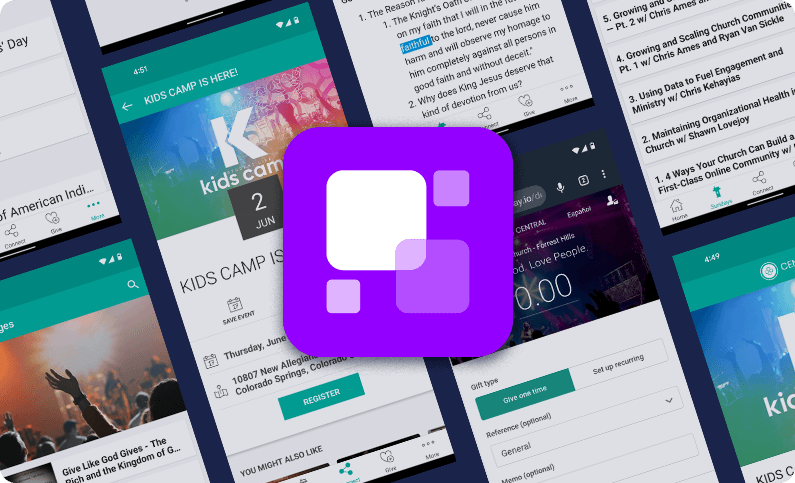

Tour our Apps Product
The mobile extension of your ministry. Only Pushpay offers a leader-only app in multiple languages.
TAKE A TOUR

Step 4: Build pages that serve both visitors and members

Think about the questions people might be asking when they land on your site. Then make sure they can find the answers within a few clicks.

Must-have pages include:

  • Home: Your church’s elevator pitch—service times, location, and any other critically important information.
  • About/Beliefs: Who you are, what you believe, and what matters most.
  • Ministries: How people can connect and serve.
  • Events: Upcoming church events with simple registration.
  • Sermons: An archive of past messages plus livestream links.
  • Giving: A secure, simple online giving page.
  • Contact: Map, email, phone number, and social links.

Organize your menu so that key pages are no more than three clicks away.

Step 5: Integrate church tools for connection and generosity

Your website should do more than inform—it should invite action.

Consider adding:

  • Online giving tools like Pushpay’s Everygift, which supports recurring donations and multiple payment methods.
  • Prayer request forms so people can share needs privately and securely.
  • Volunteer sign-ups that sync with your church management software.
  • Event registration that automatically updates attendance records.

When these tools are connected to your ChMS, you can follow up with visitors, track engagement, and keep your database clean.

Step 6: Add engaging media and keep it fresh

People connect with people. Use photos and videos of real members to tell your church’s story.

Ideas to include:

  • A video welcome from your pastor
  • Short clips from recent events
  • Sermon archives, podcasts, and livestream links

Keep your site current by updating event calendars, sermon series graphics, and announcements regularly. A “latest news” section that’s months out of date sends the wrong message.

Tour our ChMS Product
A seamless, engaging, people-focused product that grows with your congregation.
TAKE A TOUR

Step 7: Optimize for mobile and search engines

With most people browsing on their phones, a mobile-friendly design is non-negotiable. Test your site on different devices to make sure it loads quickly and looks great everywhere.

For SEO (search engine optimization):

  • Use descriptive titles and headers with natural keywords like church in [city] or online giving.
  • Add alt text to images so search engines understand them.
  • Claim and update your Google Business Profile so you show up in local searches.

Step 8: Test, launch, and promote your new website

Before going live:

  • Click every link
  • Test every form
  • Check page speed and mobile responsiveness

Once you launch, tell everyone! Announce it on Sunday, email your congregation, post on social media, and link it in your church app. Ask members to share the site with friends and neighbors.

Step 9: Keep your website alive and growing

A stunning church website isn’t a “set it and forget it” project. Schedule monthly or even weekly updates to:

  • Post new sermons
  • Refresh event listings
  • Add recent photos and testimonies

Gather feedback from new visitors—what did they find helpful? What was missing? Then use that feedback to improve your site over time.

Your church website is a ministry

Creating a church website is more than a technical project—it’s a way to open your doors wider than ever before. Done well, it becomes a hub for connection, discipleship, and generosity.

With the right tools, intentional design, and a commitment to keeping it fresh, your website can be more than just a digital brochure—it can be a living extension of your church’s mission.

FAQs

Q: What’s the easiest way to create a church website?
A: If you want speed and simplicity, choose a drag and drop website builder like Squarespace or Wix. These platforms come with built-in features for online giving, event registration, sermon hosting, and church app integration—so you can launch faster without juggling multiple tools.

Q: How much does it cost to build a church website?
A: Costs vary depending on whether you use a free website builder, a paid plan, or a custom design. Expect anywhere from $100–$500/year for DIY platforms. Many churches choose a mid-range option with a monthly subscription that includes hosting, templates, and integrations.

Q: What pages should every church website include?
A: At minimum, have a Home page, About/Beliefs, Ministries, Events, Sermons, Giving, and Contact. These core pages help both first-time visitors and long-time members find what they need quickly.

Q: How can a church website increase giving?
A: Integrating secure online giving tools directly into your site makes generosity easier. Platforms like Pushpay’s Everygift™ offer recurring donation options, multiple payment methods, and branded giving pages that encourage consistent support.

Q: How do I keep my church website fresh?
A: Update it regularly—add new sermons weekly, refresh event listings, change homepage banners seasonally, and post current photos. A living, up-to-date site reflects an active, welcoming church.

Tour our Giving Product
A comprehensive solution for secure, cheerful giving & donor development.
TAKE A TOUR
Jonathan Louvis
Jonathan Louvis Jon is the SEO Marketing Manager at Pushpay. Most recently, he worked as the Communications Director for his local church in Ohio. Having worked in the Church, he’s able to bring a unique perspective to his role at Pushpay. When he’s not busy creating content, you can find him spending time with his wife, two sons, and dog, or indulging his love of fantasy football. Jon holds a B.S in Marketing Management and an M.B.A from Western Governors University. View more posts from Jonathan Louvis
Featured Content
Take the next steps for your growing ministry.

Stop managing your people and start inspiring deeper forms of community.

Get Bi-Weekly Updates